01
Add your script
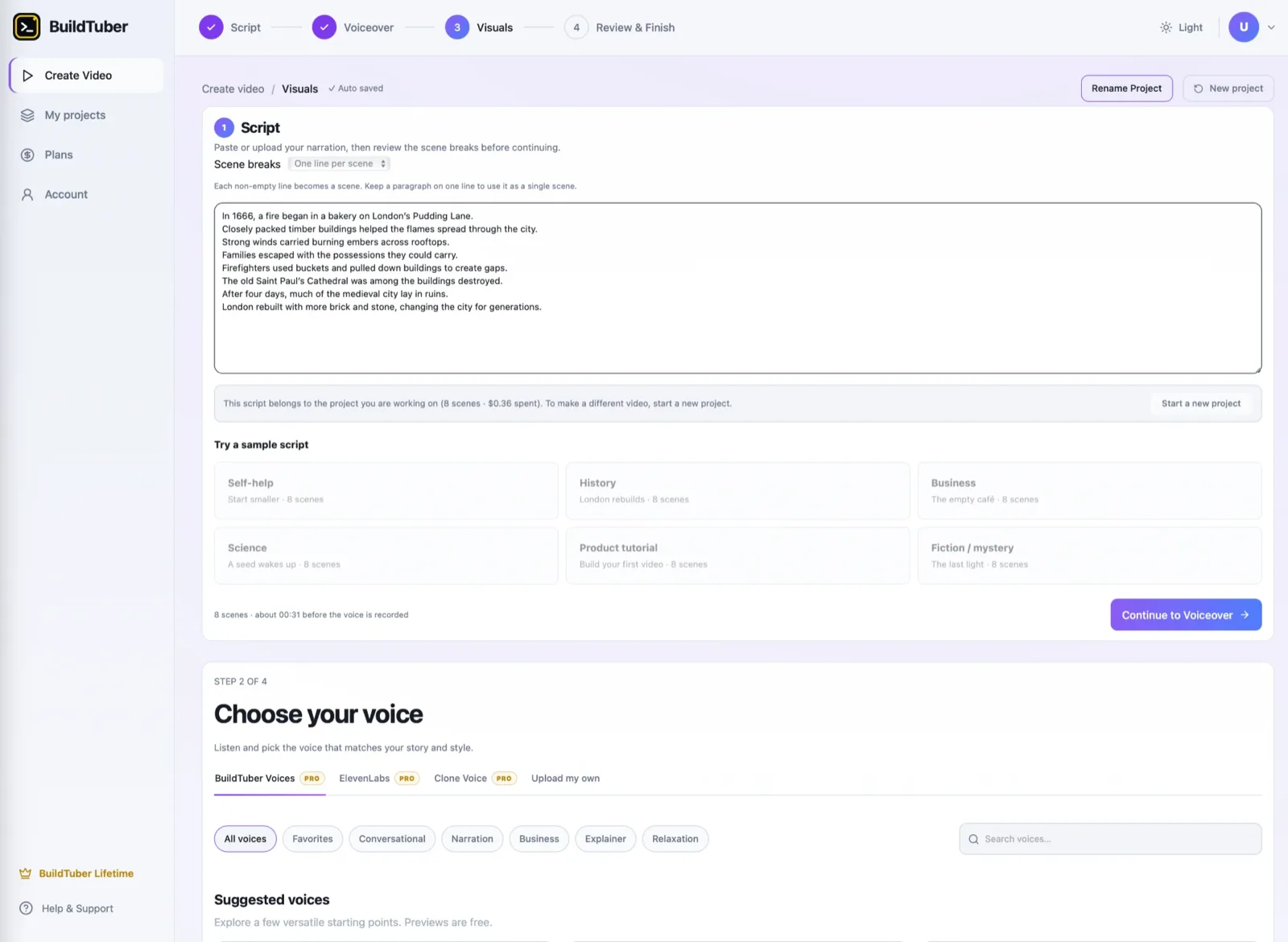
Paste your narration, or upload a finished script.
AI video creation for faceless YouTube
Turn your finished script into AI visuals, motion graphics, voiceover and a complete video, without building every scene and edit by hand. Your first 25 scenes are free, and you do not need an API key to start.
Made with BuildTuber
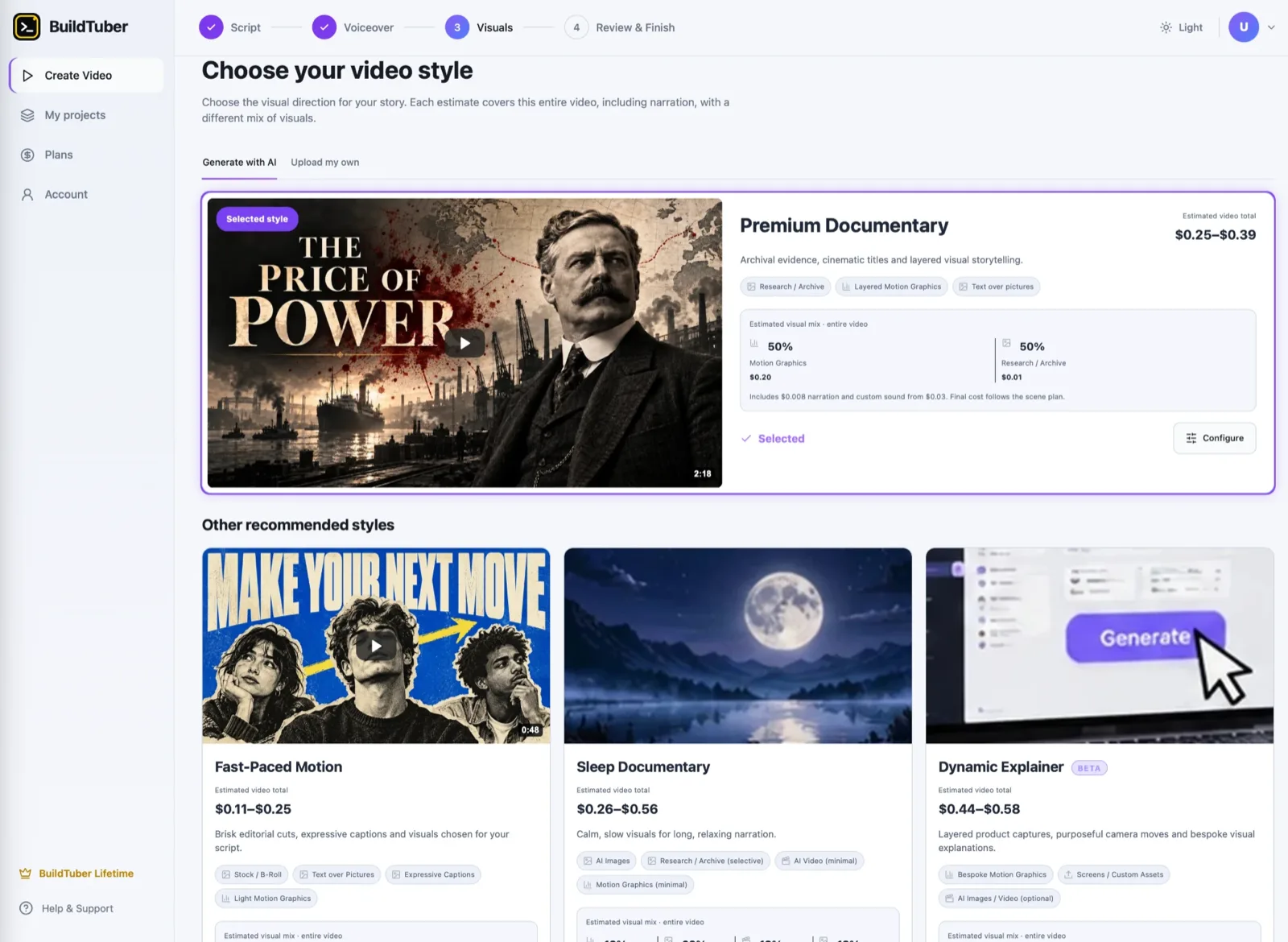
Six preset styles, each shown with a clip from a video made in the app. From stickman explainers to cinematic documentaries and animated motion graphics.
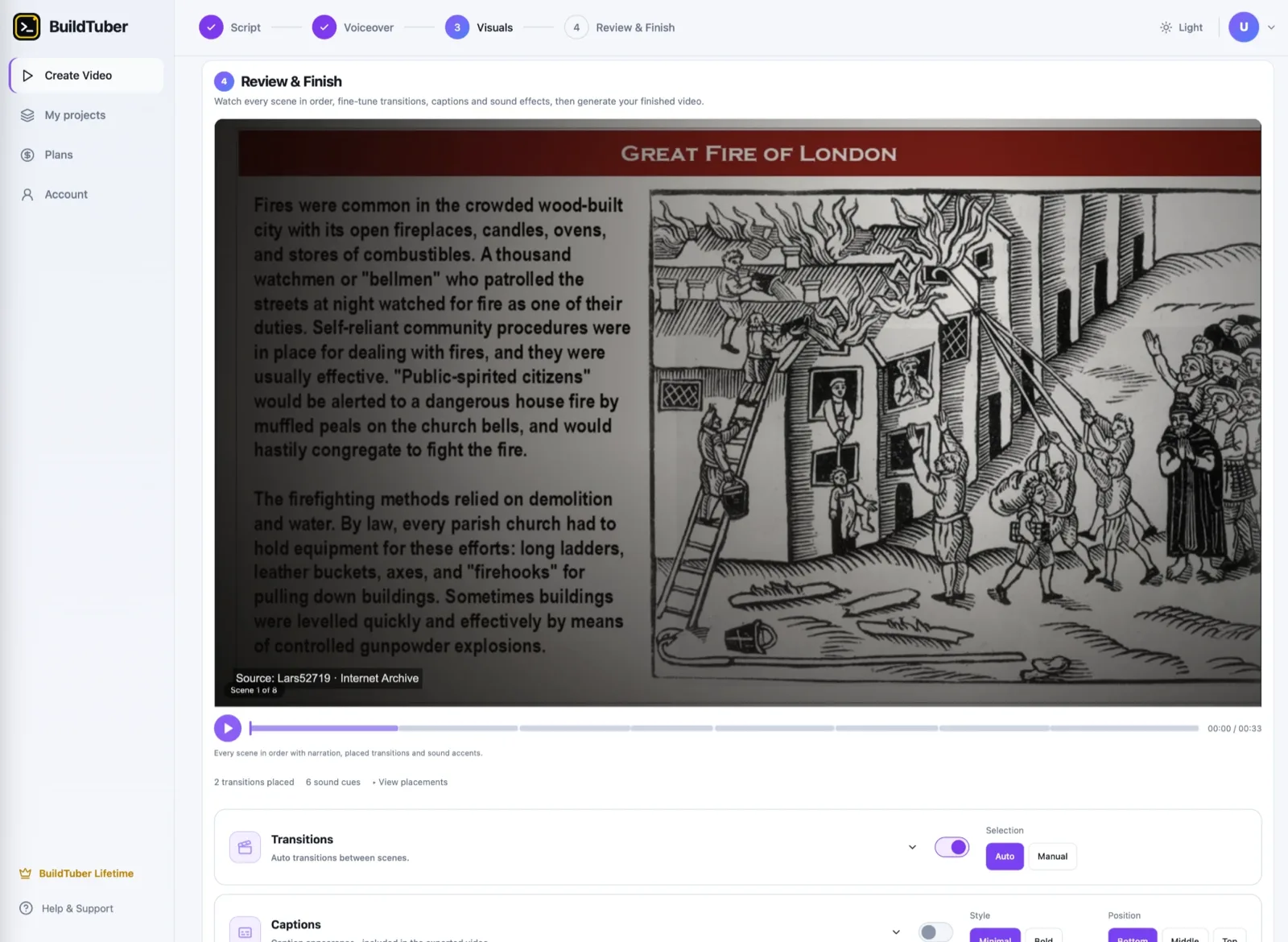
Animated maps, archival photographs and cinematic titles, with every source credited on screen.
Illustrated historical scenes with on-screen dates and captions, for long-form narration.
Brisk editorial cuts, expressive captions and light motion graphics chosen for the script.
Flat illustrated characters on plain backgrounds, the format most psychology channels use.
The same characters placed into painted storybook environments.
Illustrated characters composited into photographic scenes, with captions burned in.
These are videos we made with BuildTuber, not customer submissions. Each clip is a short excerpt, so the pacing is tighter than a finished upload.
How it works
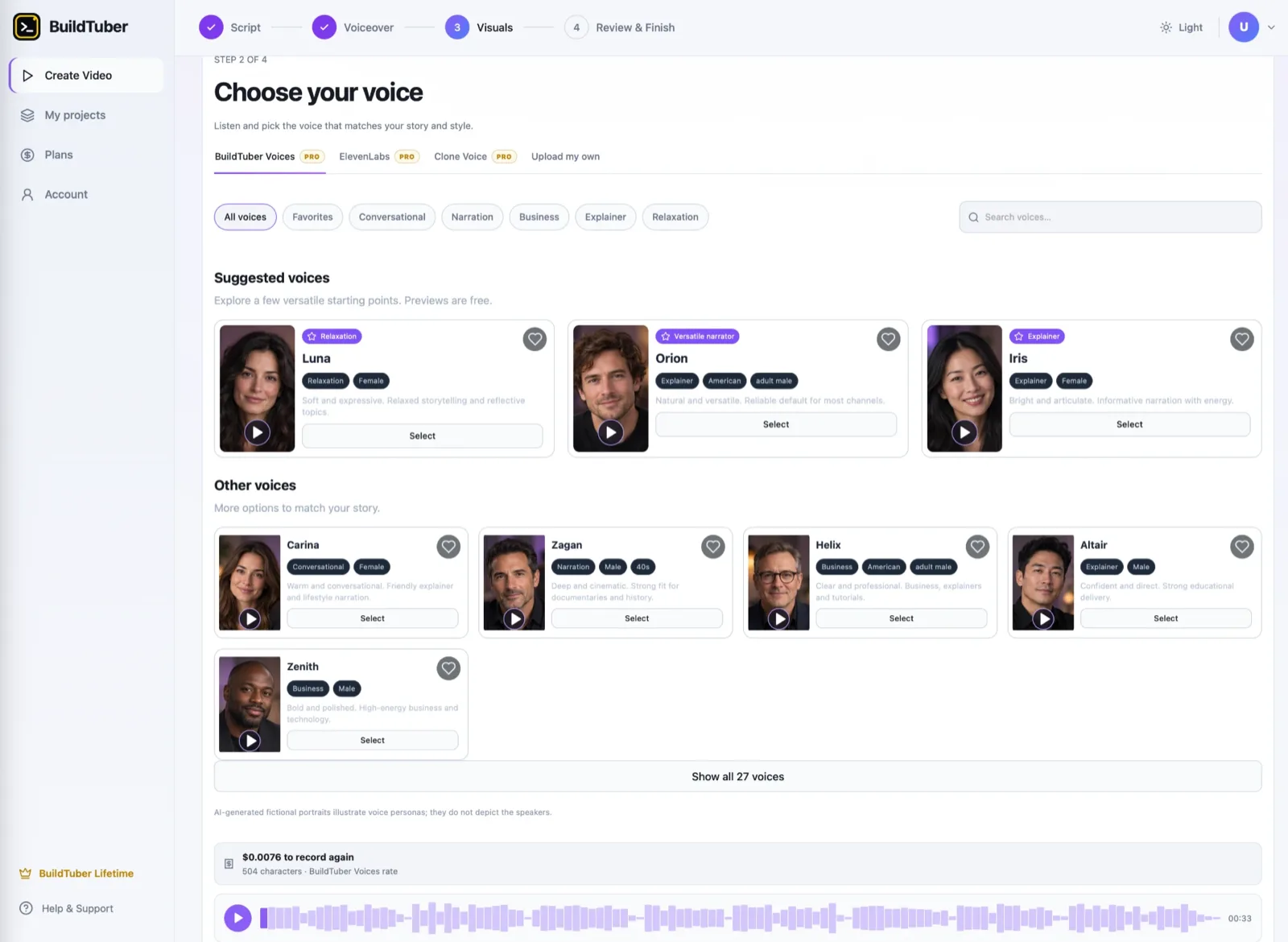
Four steps, all of them in the browser. Nothing to install and no spreadsheet to copy.
01
Paste your narration, or upload a finished script.
02
Pick a visual preset and a voice that fits the video.
03
BuildTuber creates the visuals and voiceover. Review or regenerate anything you do not like.
04
Preview the video, make final adjustments and export the MP4.
The workflow itself, once you are past the first video.
Visual types
Make videos with the right kind of visual for the story. Availability depends on the workflow, the style you pick and your plan.
Create illustrated or realistic scenes, with reference images to help hold a recognisable look from one shot to the next.
Add motion where a still frame is not enough, without making every scene expensive.
Use animated text and graphics for explanations, comparisons and fast-moving ideas.
Plan documentary-style visuals around research and archival material. Review the factual claims, the sources and the usage rights before publishing.
Bring in your screenshots, images and video clips when generated visuals are not the right fit.
Put narration and scenes together inside the same workflow instead of managing the whole timeline by hand.
Plans
Try BuildTuber with 25 free scenes. When you are ready to make more, choose included monthly credits or connect your own API keys.
$49.99per month
A simpler way to start if you would rather not manage a provider account for every generation.
$99one time
A good fit if you prefer direct provider billing and want to control generation costs yourself.
Pro includes $25 in credits, which is not a fixed number of videos. What a video costs depends on its length, scene count, models, motion graphics, voiceover and retries. Lifetime users pay their chosen providers directly. The Plans screen inside the app is the source of truth for current prices, features and limits, and is where checkout happens.
You should not have to guess what you are spending on AI video generation. The price depends on the model, the number of scenes, the voiceover length, how much generated motion you use and how many retries you need. An image-led video can be a lot cheaper than one with AI video in every shot. The app estimates the cost of the whole video before you generate it, broken down by the mix of visuals the style uses, so you can choose the tradeoff while you are still deciding.
BuildTuber can make production faster and cheaper. It cannot choose a winning topic, guarantee retention or make a channel successful on its own. The guides are free and cover the parts that are still yours.
AI video tools charge through subscription credits or direct API billing. Neither is automatically cheaper. Here is what decides which is.
Compare BuildTuber and InVideo AI for faceless YouTube: free access, AI media, editing, credits, personal API keys, and what each pricing model includes.
YouTube automation is easier than ever in 2026, but production is no longer the advantage. Here is what actually matters for a faceless YouTube channel now.
Yes. You bring a finished script, and BuildTuber plans the scenes, creates the visuals and voiceover, lets you review the production and exports a video. You still make the creative decisions and review the final result.
Yes. Start with a 25-scene free trial in the web app. The free-tier capabilities and limits are shown there, so you can see what is available before upgrading.
Not to try the free scene allowance. Pro includes monthly generation credits. Lifetime uses your own supported API keys, with the provider charges billed to you separately.
Yes. BuildTuber supports several visual types, including AI images, AI video, motion graphics and your own supplied assets. Which ones are available depends on the workflow, the style you choose and your plan.
No. Unused generation credits roll over, up to a maximum balance of $50. The plan terms in the app are the authoritative version.
No. The product helps with production. You are still responsible for originality, factual accuracy, copyright permissions, video quality and YouTube's publishing and monetization requirements.
Everything happens in the BuildTuber app at app.buildtuber.com. There is no external storefront to visit and no Google Sheets add-on to install.
One email when a new guide ships. The full method, not a teaser. Unsubscribe whenever.
You do not need to commit to a paid plan to see how the workflow feels. Start with 25 free scenes, review the results and decide how you want to continue.