AI video creation, without the production headache
BuildTuber helps faceless YouTube creators turn finished scripts into scenes, visuals, voiceover and complete videos. Spend less time moving files between tools and more on the ideas and stories your audience came to watch.
25 scenes free. Upgrade when you are ready to make more.
Turn a finished script into a faceless YouTube video. Scene planning, AI visuals, motion graphics, voiceover and editing in one web app, starting with 25 scenes free.
Scene planning from a finished script
AI images, for illustrated or realistic scenes, with references to keep a recognisable look
AI video, for the scenes where motion adds something
Motion graphics, for numbers, processes and comparisons
Research and archive options for documentary-style material
Pro includes $25 in credits, which is not a fixed number of videos. What a video costs depends on its length, scene count, models, motion graphics, voiceover and retries. Lifetime users pay their chosen providers directly. The Plans screen inside the app is the source of truth for current prices, features and limits, and is where checkout happens.
Not every creator wants the whole workflow. These are earlier, specialist Google Sheets builds, still sold and still supported, for the single production stage each one covers. Neither is required to use the app.
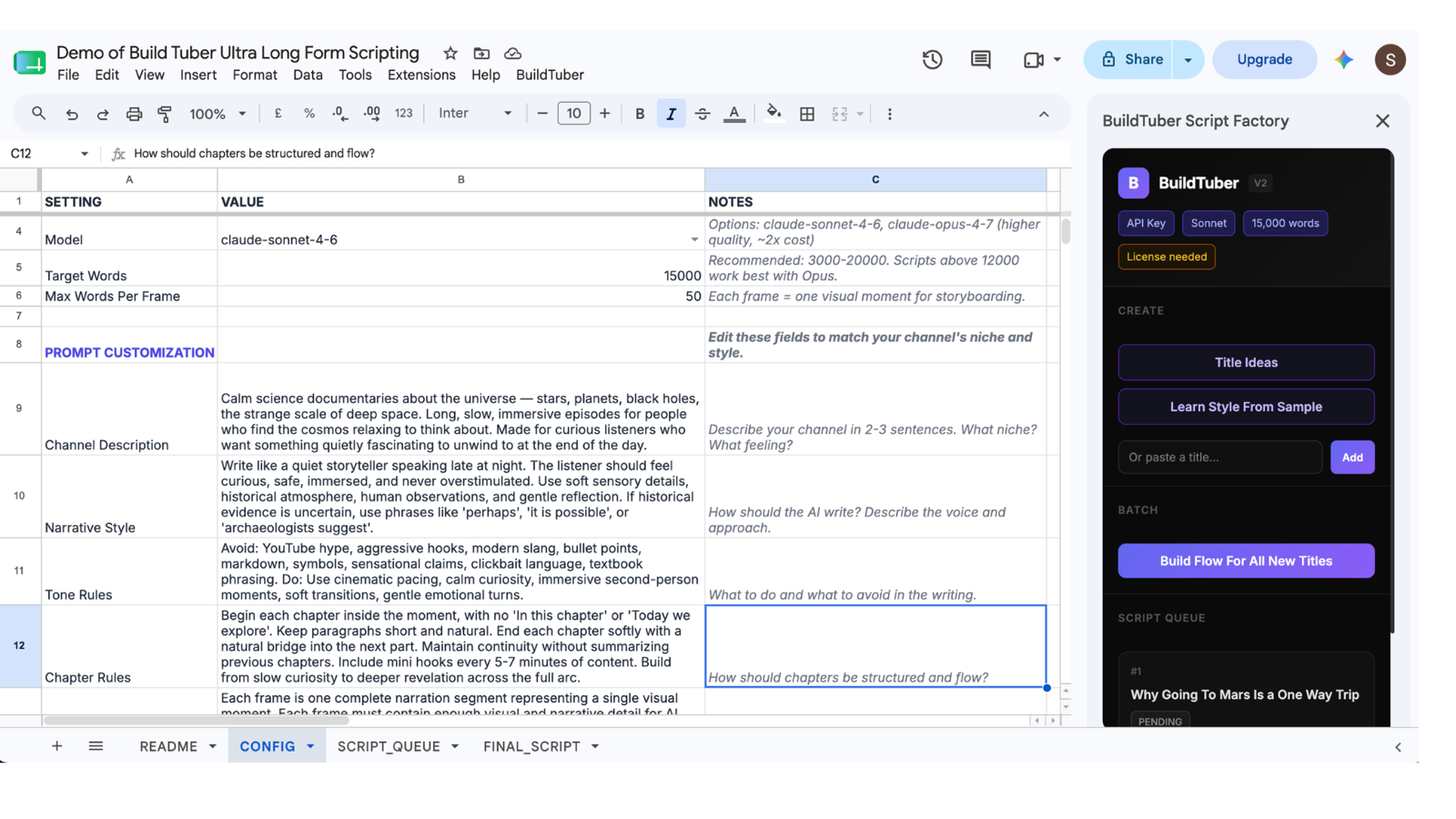
Generate structured YouTube scripts of 15,000 words or more using your own Claude API key.
The engine writes the script section by section, carries context forward between chapters, and helps reduce the repetition and narrative drift that often appear in very long AI-generated scripts.
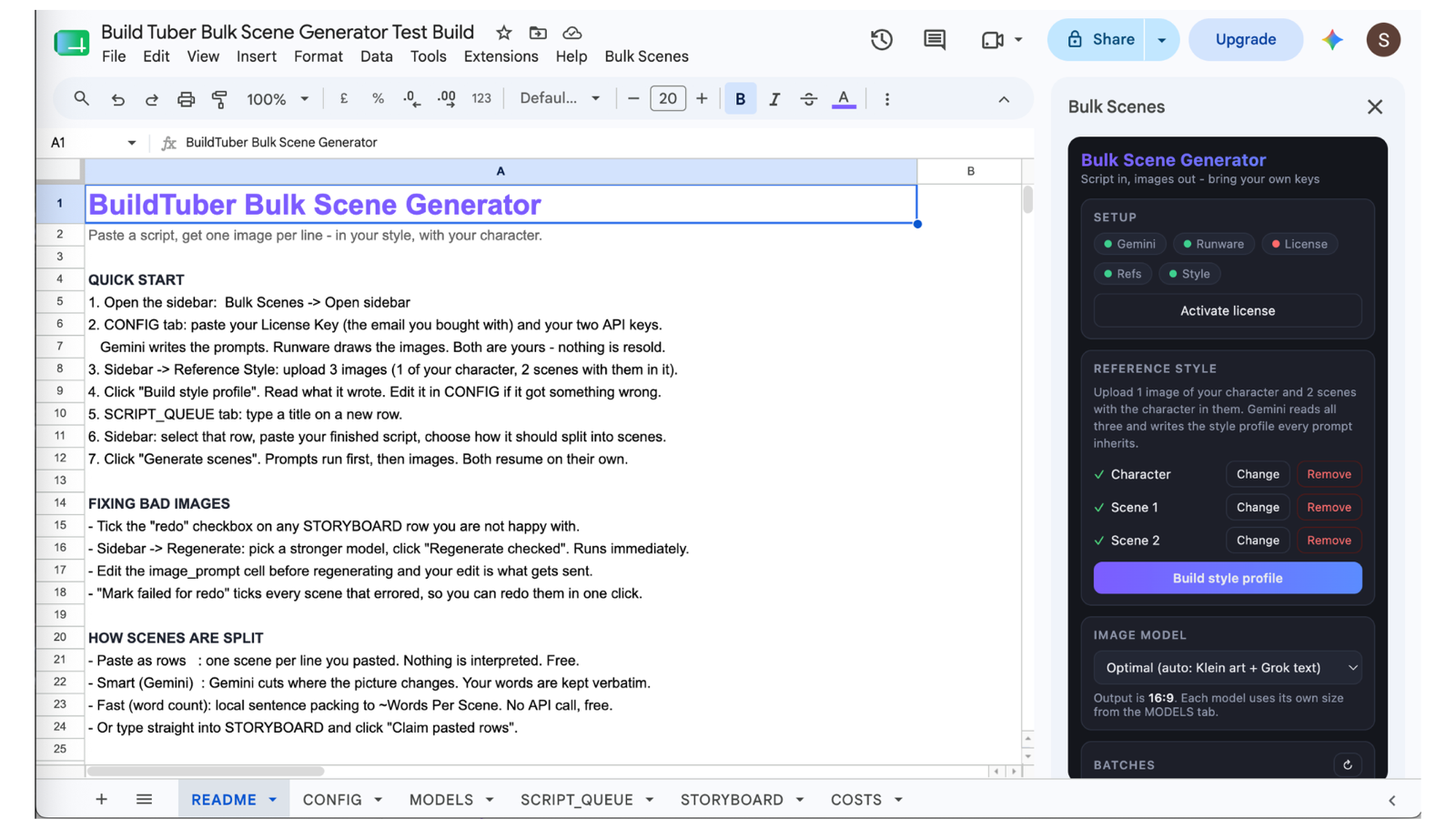
Turn a finished YouTube script into a scene-by-scene storyboard, then generate the matching AI images in bulk.
Upload your character and style references once, review or edit the scene prompts, and generate the full visual batch using your own Gemini and Runware API keys.
Your keys: Google (Gemini) · Runware
Get better at making faceless videos
The guides are free and stay free. They cover the parts of a channel no tool decides for you.
Learn the individual stages behind the workflow the app runs for you.
Frequently asked questions
Is BuildTuber an app or a Google Sheets add-on?
The main product is a browser-based app at app.buildtuber.com. Some older guides and the two specialist tools on this page describe Google Sheets workflows, but none of them is required to use the app.
Is there a free trial?
Yes. You can start with 25 scenes free in the app, without a purchase. The current limits and the features available on the free tier are shown there.
Do I have to buy a subscription?
No. Pro is a monthly plan with generation credits included, and Lifetime is a one-time payment that uses your own supported API keys, with provider usage billed separately. The two specialist Sheets tools on this page are also one-time purchases.
Do I need my own API keys?
Not to try the free scenes, and not on Pro, which includes a monthly credit allowance. Lifetime runs on your own supported API keys, so the providers bill you directly at their published rates. The two specialist Sheets tools each need the keys named on their own page.
What is BYOK ('bring your own key')?
It means the product runs on an API key you create yourself with the model provider, instead of on an account this site holds and resells to you at a markup. You are billed by the provider, at the provider's rate, and you can see exactly what a given script or batch of images cost you. That is what the Lifetime plan does, and what the specialist Sheets tools have always done.
Do unused Pro credits expire at the end of the month?
No. Unused generation credits roll over, up to a maximum balance of $50. The plan terms in the app are the authoritative version of this.
Will it help me get monetized on YouTube?
It can reduce the time and cost of production, but it cannot guarantee monetization, views or audience growth. You still make the creative and publishing decisions, and you are responsible for originality, accuracy and rights.
What's the difference between a product and a free guide?
The guides teach the method and hold nothing back. A product is that same method already built into a working tool, so you are paying for the build time, not for information the guides would otherwise withhold.
Get the build guides as they go out.
One email when a new guide ships. The full method, not a teaser. Unsubscribe whenever.